
How to:
Setting up your fundraising page
Creating your fundraising page takes just a few minutes, and it’s one of the most meaningful ways you can support Valley Health Foundation’s mission. Every dollar you raise helps strengthen our public hospitals and clinics, expand essential community health programs, and ensure that vulnerable neighbors receive the care they deserve. Your page becomes a powerful tool for inspiring others to join you in making a real impact.
3 simple steps
Navigate to RaceRoster.com and sign in using the same information you provided during event registration.
In the upper right corner, open the Menu and select “Share Fundraising Page”.
This is your personal fundraising page! From here, you can edit your story, set a fundraising goal, and share the link with friends, family, and supporters.
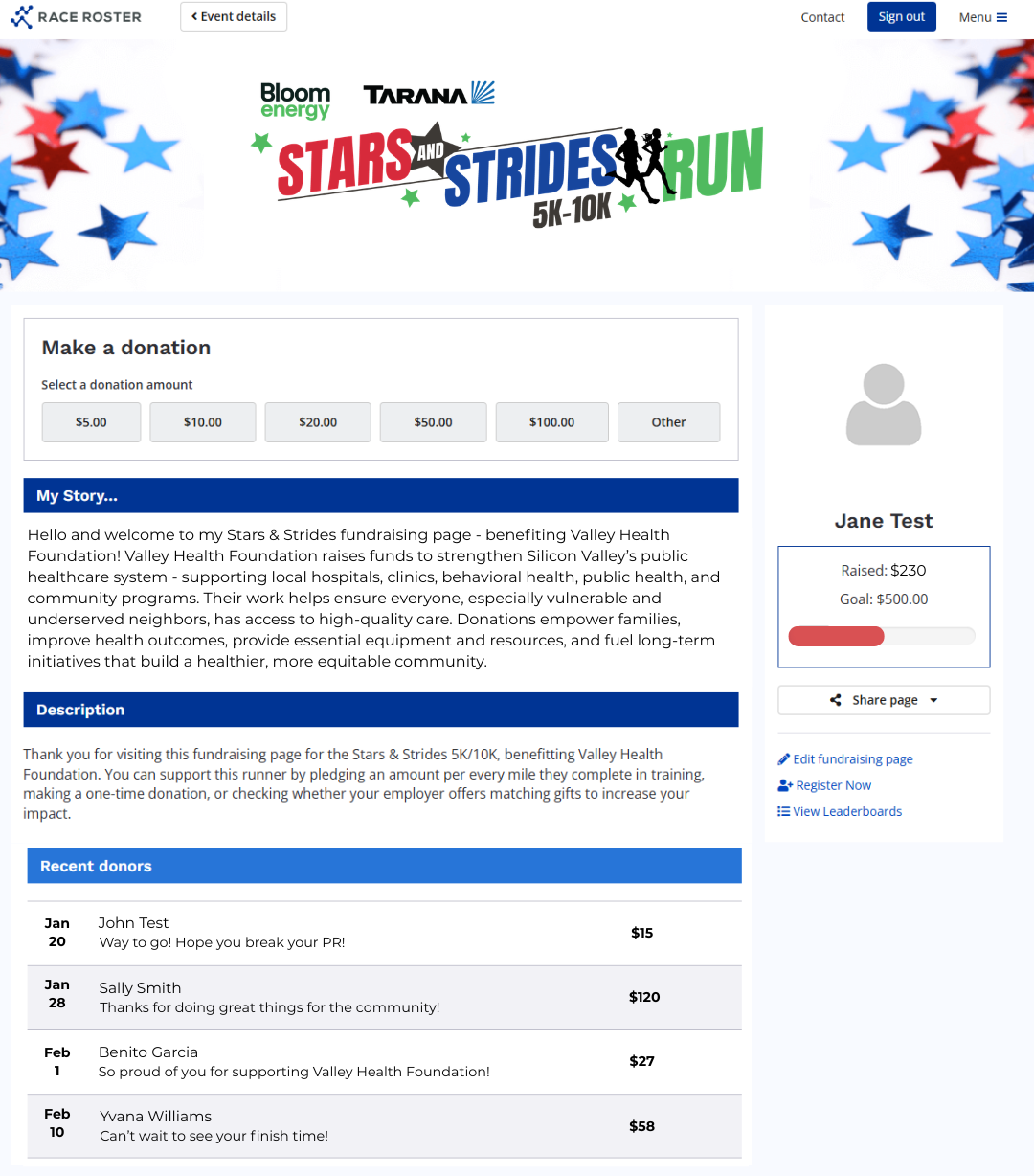
Your fundraising page is a chance to highlight the part of Valley Health Foundation’s mission that matters most to you. Choose the message that reflects your passion and share why you’re fundraising. Here are a few examples you can feature:
Personalize With the Impact That Inspires You
Empowering individuals and families with the tools and resources to take charge of their health
Improving community health for underserved and at‑risk neighbors
Investing in quality of care through essential equipment, training, and technology
Driving long‑term impact by sustaining programs that support, innovate, and advocate for better health for all